Enterprise Guide to Hiring a Microsoft 365 Consultant

Figure 1: High-Tech 3D Enterprise Cloud Migration Architecture.
Strategic Value of Enterprise Cloud Transformation
In the modern digital infrastructure landscape, migrating to the cloud is no longer a speculative technology initiative; it is an urgent enterprise imperative. The transition from legacy on-premises architecture, fragmented SaaS products, and outdated email systems to a unified productivity ecosystem is essential for operational resilience, scalability, and security. However, executing an enterprise-grade migration to Microsoft 365 involves navigating significant technical complexities.
Without expert orchestration, organizations face operational disruption, unbudgeted downtime, catastrophic data loss, compliance violations, and severe security vulnerabilities. Misconfigured identity providers, unoptimized tenant architectures, and poor security baselines frequently leave corporate networks exposed to credential harvesting, ransomware, and data exfiltration.
This is where the strategic guidance of an enterprise-grade microsoft 365 consultant becomes essential.
A specialized implementation expert bridges the gap between high-level business goals and complex cloud execution. From multi-tenant mergers and acquisitions (M&A) to hybrid Exchange architectures and Zero Trust security frameworks, partnering with an experienced cloud migration provider guarantees a seamless, zero-downtime transition that maximizes return on investment (ROI).
For deeper technical analyses, industry frameworks, and deployment blueprints, explore the comprehensive resources available in the Work365 Knowledge Base.
Enterprise Cloud Migration Architectures & Topologies
Selecting the appropriate migration topology is the foundational decision of any cloud transformation project. Misjudging the volume of data, latency constraints, legacy mailbox dependencies, or identity sync requirements can paralyze corporate operations. An elite consultant designs a custom architecture aligned with your business operating model.
Cutover, Staged, and Hybrid Exchange to Microsoft 365 Migration
When transitioning from on-premises infrastructure, an exchange to microsoft 365 migration generally follows one of three primary topologies:
- Cutover Migration: Suitable for small-to-medium businesses (typically under 200 mailboxes) operating on Exchange 2013, 2016, or 2019. All resources—including mailboxes, distribution lists, and contacts—are migrated over a single weekend. While fast, cutover migrations require rigid cutover windows and immediate DNS Autodiscover re-pointing.
- Staged Migration: Ideal for medium-sized organizations running legacy Exchange 2007 or 2010 environments that cannot migrate in a single wave. Batches of users are transitioned over time, maintaining directory synchronization via Entra ID Connect.
- Hybrid Migration (Minimal & Full Classic/Modern): The gold standard for global enterprises operating hundreds or thousands of seats. A hybrid deployment establishes a seamless bridge between on-premises Exchange Server environments and Exchange Online.
- Full Hybrid enables cross-premises free/busy calendar sharing, unified Global Address List (GAL) visibility, seamless eDiscovery across both environments, and frictionless background mailbox moves using the Mailbox Replication Service (MRS) Proxy engine.
- Modern Hybrid leverages the Microsoft Hybrid Agent, bypassing complex inbound firewall rules and public certificate requirements for simpler networks.
Tenant-to-Tenant (T2T) Mergers, Acquisitions & Divestitures
Corporate restructuring, mergers, acquisitions, and divestitures require complex enterprise tenant migration strategies. T2T projects present distinct challenges: move data between distinct cloud environments without disrupting operations, changing domain ownership, or breaching compliance mandates.
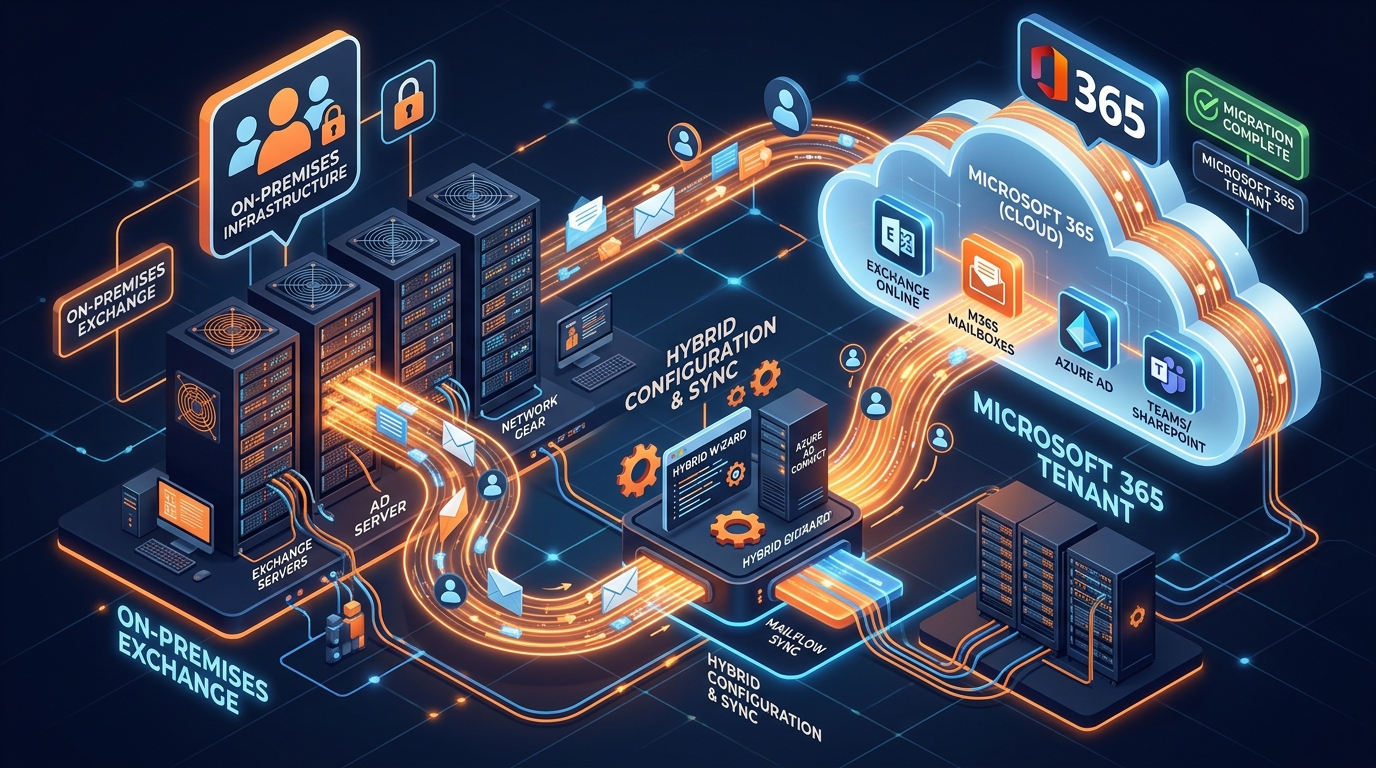
Figure 2: 3D Isometric Visual of Hybrid Exchange to Microsoft 365 Migration Flow.
An experienced m365 deployment partner orchestrates T2T transformations by executing structured phases:
- Cross-Tenant Architecture Setup: Configuring Organization Relationships, Cross-Tenant Access settings, and Entra ID B2B collaboration policies.
- Domain Transfer Protocol: Managing the sensitive domain cutover window where the corporate domain name must be removed from the source tenant, verified on the target tenant, and re-assigned to migrated identities in minutes.
- Data Hydration Syncs: Pre-seeding Exchange mailboxes, OneDrive for Business accounts, SharePoint Online document libraries, and Microsoft Teams channels using low-impact background sync jobs.
- Coexistence Messaging: Deploying mail rewrite services and dual-delivery MX routing to ensure uninterrupted communication during the multi-phase consolidation process.
Legacy Mail Server to Cloud Email Migration Solutions
Organizations transitioning away from non-Exchange platforms—such as Google Workspace, IBM/HCL Notes, Zimbra, or standard IMAP servers—require tailored email migration solutions.
Migrating from Google Workspace, for example, demands EWS and Google API mapping to transform Gmail labels into traditional Outlook folder structures, while properly handling Google Drive permissions during OneDrive relocation. Furthermore, enterprise legacy systems often hold vast volumes of unindexed PST archive files stored across distributed endpoints and network shares.
A master technical consultant designs automated ingestion pipelines to centralize, sanitize, and hydrate these archives directly into Exchange Online In-Place Archives. For a deep technical dive into resolving PST ingestion challenges, consult our specialized Import PST to Office 365 Guide.
Technical Architecture: Zero-Downtime Data Flow & Synchronization
Executing an enterprise migration without operational disruption requires rigorous technical planning. Downtime disrupts sales pipelines, undermines customer support, and stalls operational workflows. Achieving zero downtime requires deep expertise in data synchronization, DNS routing, and directory services.
Key Takeaway: Achieving true zero downtime requires running parallel data paths, using background delta syncs, and leveraging staged TTL DNS cutovers.
Delta Synchronization Mechanics & Mail Flow Routing
To avoid impacting network bandwidth or user productivity during business hours, consultants use a two-stage data transfer methodology:
- Initial Stage Pass (Pre-Seeding): Bulk historical data—emails, calendar items, documents, and historical team chats—is migrated in the background over several weeks. During this period, users continue working normally in their legacy source environment.
- Delta Synchronization Loops: At regular intervals leading up to the final cutover, delta sync engines scan the source environment for new, modified, or deleted items, syncing only the incremental changes to the target cloud tenant.
- Mail Flow Cutover Strategy:
- TTL (Time-To-Live) Reduction: DNS MX record TTL values are lowered (e.g., from 86,400 seconds to 300 seconds) 72 hours prior to cutover to ensure rapid propagation.
- Smart Host Inbound/Outbound Routing: Centralized mail flow rules and transport connectors route incoming emails across platforms during the switch, ensuring zero bounce-backs or lost communications.
Identity Federation & Entra ID Connect Integration
Identity is the modern security perimeter. Establishing a unified hybrid identity infrastructure ensures users enjoy seamless authentication across both legacy systems and new cloud applications.
- Entra ID Connect (Cloud Sync vs Identity Sync): Enterprise consultants deploy Entra ID Connect engines to synchronize local Active Directory Domain Services (AD DS) objects with cloud-based Entra ID tenants.
- Authentication Models:
- Password Hash Synchronization (PHS): The most secure, resilient, and performant option for most enterprises. Hashes of on-premises password hashes are synced to the cloud, enabling offline authentication even if on-premises connectivity fails.
- Pass-Through Authentication (PTA): Preferred by enterprises with strict regulatory policies that prohibit password hashes—even doubly encrypted ones—from residing in cloud storage. Passwords are validated directly against local Active Directory domain controllers via lightweight agents.
- Active Directory Federation Services (ADFS): Used in complex enterprise environments requiring advanced federated claims, smart-card authentication, or specific legacy MFA hardware configurations.
SharePoint Online, OneDrive, and Teams Hydration Strategies
Migrating file systems and collaborative spaces involves more than simply copying files; it requires rebuilding permissions, metadata, and site structures.
- SharePoint & OneDrive Migration: Unstructured file shares (SAN/NAS) and legacy ECM systems are scanned to audit file path lengths (violating the 400-character limit), check for unsupported characters, and sanitize permissions models (mapping local ACLs to cloud permission groups).
- Microsoft Teams Provisioning: Replicating team channels, tabs, integrated third-party apps, and chat histories requires modern Migration APIs to preserve accurate timestamps, author attributions, and conversation threads.
Enterprise Security Hardening, Governance & Compliance
Migrating to the cloud without robust security controls exposes an organization to severe cyber threats. Simply moving to Microsoft 365 does not automatically make an enterprise secure; default tenant settings prioritize usability over strict protection. A certified microsoft 365 consultant implements comprehensive security architectures based on Zero Trust principles.
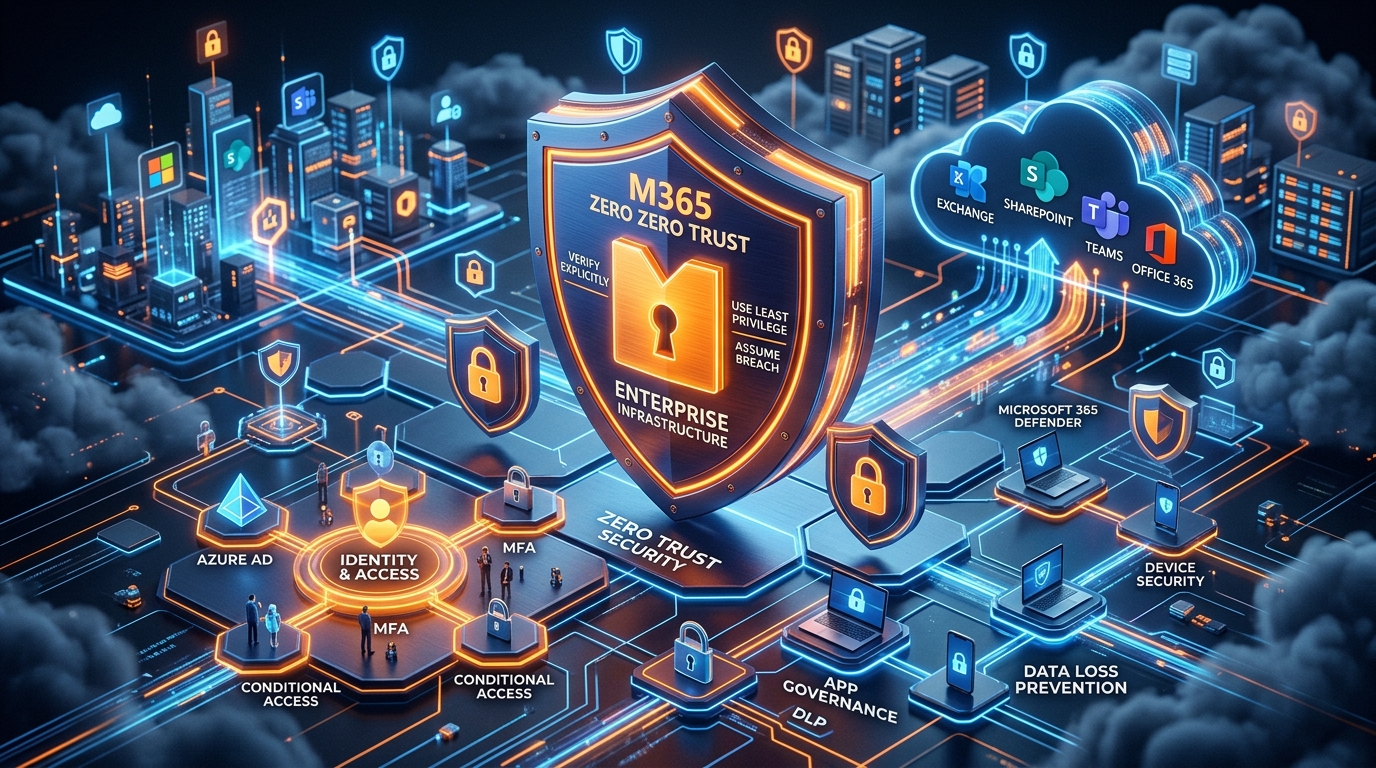
Figure 3: Enterprise Zero Trust Security Infrastructure in Microsoft 365 Cloud.
Zero Trust Identity Infrastructure & Conditional Access
The Zero Trust paradigm operates on a clear policy: Never Trust, Always Verify. Applying this to Microsoft 365 involves configuring explicit Conditional Access (CA) policies in Entra ID:
- Multi-Factor Authentication (MFA) Enforcement: Replacing legacy SMS and voice-call verification with phishing-resistant authenticator apps or FIDO2 hardware security keys (WebAuthn).
- Device Health & Compliance Verification: Linking Conditional Access with Microsoft Intune to grant access only to managed, compliant, and encrypted endpoint devices.
- Location & Risk-Based Access Rules: Utilizing Entra ID Protection to evaluate user login risk and sign-in risk in real time, automatically blocking or requiring step-up authentication for impossible travel anomalies or anonymous IP connections.
Data Loss Prevention (DLP) and Microsoft Purview Governance
Protecting intellectual property, financial records, and Personally Identifiable Information (PII) is essential for regulatory compliance (GDPR, HIPAA, PCI-DSS, SOC 2).
- Sensitivity Labels & Information Protection: Implementing automated sensitivity labeling (Public, General, Confidential, Highly Confidential) using Microsoft Purview Information Protection (MPIP). Labels enforce persistent encryption and digital rights management (DRM), controlling whether users can print, forward, copy, or screenshot sensitive files.
- Data Loss Prevention (DLP) Policies: Deploying DLP policies across Exchange, SharePoint, OneDrive, and Teams chat to automatically detect, block, and log attempts to share sensitive data—such as credit card numbers or social security details—with external parties.
- eDiscovery & Audit Logging: Enabling Unified Audit Logging (UAL) and configuring Advanced eDiscovery workflows to legal standards, ensuring content holds and regulatory compliance searches are ready for legal audits.
Email Security: SPF, DKIM, DMARC, and Defender for Office 365
Email remains the primary attack vector for enterprise cyberattacks. Securing cloud email infrastructure requires advanced authentication protocols and threat protection engines:
| Protocol / Tool | Technical Mechanism | Enterprise Risk Mitigated |
|---|---|---|
| SPF (Sender Policy Framework) | TXT record specifying authorized outbound IP addresses and mail servers. | IP Spoofing, unauthorized domain relaying. |
| DKIM (DomainKeys Identified Mail) | Cryptographic signature applied to outbound message headers to verify authenticity. | Message tampering, man-in-the-middle header altering. |
| DMARC (Domain-based Message Authentication) | Alignment protocol instructing receiving servers how to handle SPF/DKIM failures (Reject/Quarantine). | Business Email Compromise (BEC), CEO Fraud, domain spoofing. |
| Defender for Office 365 (Plan 2) | AI-driven threat analysis incorporating Safe Links, Safe Attachments, and Anti-Phishing engines. | Zero-day malware, credential harvesting links, spear-phishing. |
In-House IT vs. Certified Implementation Partner
Many enterprise business leaders consider assigning cloud migration projects to internal IT teams. While in-house IT staff excel at day-to-day operations and endpoint support, enterprise migrations demand specialized architect-level expertise that in-house teams rarely possess.
Comparative Analysis Matrix
| Feature / Metric | Internal IT Team Execution | Certified Microsoft 365 Partner |
|---|---|---|
| Migration Experience | Infrequent (Executed once every 5–10 years). | Continuous (Executes dozens of enterprise migrations annually). |
| Operational Risk | High probability of unexpected downtime and user impact. | Minimal risk, backed by proven methodologies and SLAs. |
| Security Configuration | Often relies on out-of-the-box tenant defaults, leaving gaps. | Tailored Zero Trust architecture, DLP policies, and compliance baselines. |
| Project Velocity | Slower delivery due to competing daily ticket demands. | Rapid deployment driven by automation scripts and dedicated teams. |
| Tooling & Licensing Knowledge | Limited familiarity with specialized third-party migration tools. | Advanced use of BitTitan, ShareGate, AvePoint, and native APIs. |
| Cost Efficiency | Hidden costs from extended timelines, downtime, and over-licensing. | Transparent pricing, rationalized licenses, and predictable ROI. |
Operational Impact & Cost Breakdown
Assigning a cloud migration to an overburdened internal IT team carries significant hidden costs. When internal engineers focus on complex migration configurations, routine IT tickets stack up, reducing employee productivity across the entire company.
Furthermore, because internal teams lack daily experience with API throttling limits, staging routines, and identity federations, trial-and-error implementations frequently delay projects by months.
In contrast, partnering with an expert cloud migration provider ensures your project stays on schedule, minimizes cost overruns, and keeps your internal IT teams focused on high-value business initiatives.
To explore tailored implementation offerings, review our complete range of services at Office 365 Package & Pricing.
Evaluation Checklist for Selecting an M365 Partner
Selecting the right partner requires a thorough assessment of their technical capabilities, enterprise experience, and security track record. Use this ten-point evaluation checklist during your vendor selection process:
- Verify Microsoft Partner Designations: Ensure the partner holds certified Microsoft Solutions Partner designations in Modern Work and Security.
- Evaluate Enterprise Track Record: Require verifiable case studies detailing successful migrations of similar scale, complexity, and industry alignment.
- Assess Zero-Downtime Guarantee: Demand a clear migration plan that outlines background data staging, delta sync routines, and continuous mail flow validation.
- Review Security & Compliance Frameworks: Confirm the consultant embeds identity protection, Conditional Access, Purview DLP, and DMARC enforcement into the core deployment plan.
- Examine Tooling & Automation Stack: Inquire about their use of enterprise-grade migration platforms (e.g., BitTitan, ShareGate, Quest, AvePoint) and custom PowerShell automation scripts.
- Audit Identity & Hybrid Expertise: Validate their mastery of complex identity setups, including Entra ID Connect, Active Directory federation, and multi-forest synchronization models.
- Inspect Change Management Protocols: Ensure the partner provides comprehensive user adoption training, IT admin knowledge transfer, and post-migration support desks.
- Validate Licensing Optimization Capabilities: Choose a partner who audits your software portfolio to eliminate redundant SaaS subscriptions and right-size license allocations.
- Require Transparent Service Level Agreements (SLAs): Ensure the contract clearly defines uptime commitments, emergency response times, and project delivery milestones.
- Review Post-Migration Support Architecture: Confirm they offer post-migration support to address edge cases, optimize performance, and fine-tune security policies.
ROI Optimization & License Rationalization
Achieving a high return on investment from Microsoft 365 requires more than simply completing a migration; it demands active, ongoing license management and application consolidation.
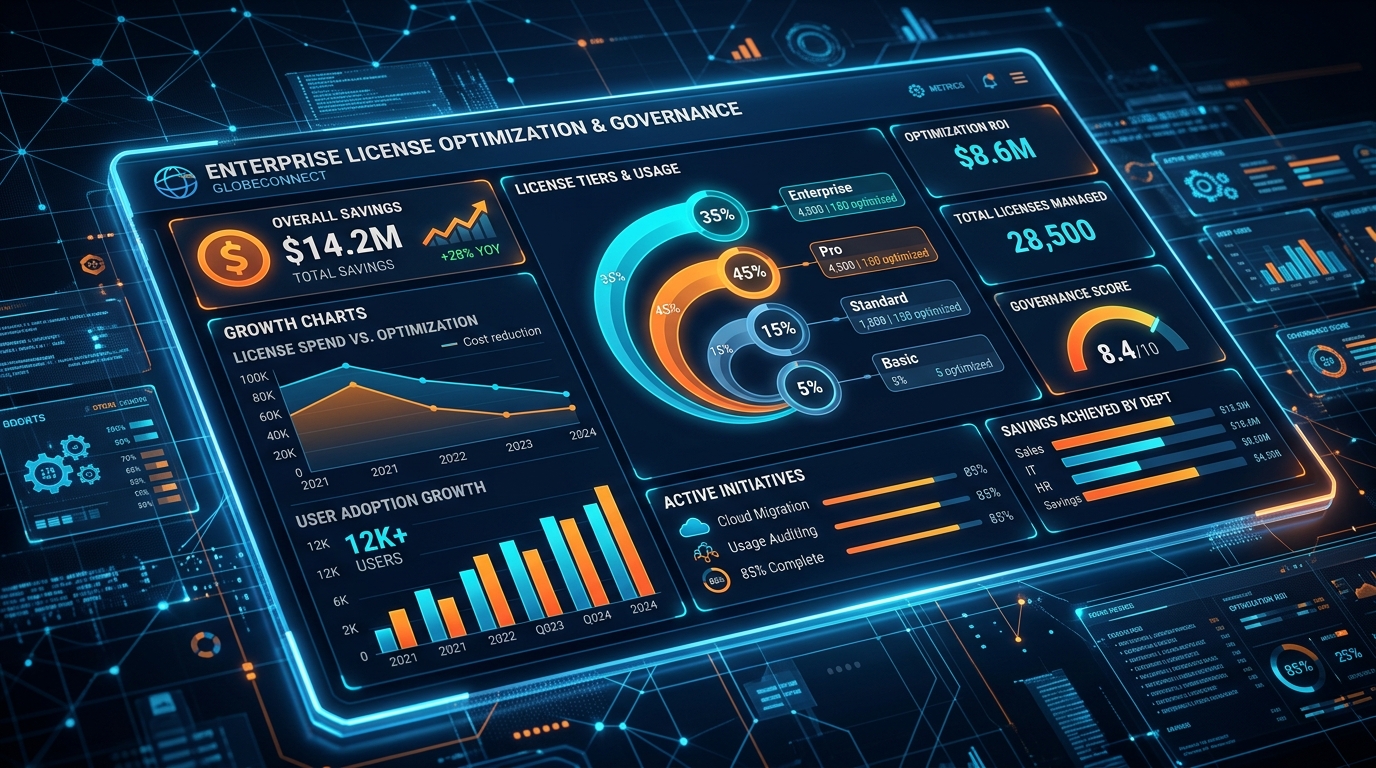
Figure 4: Enterprise License Optimization and Governance Dashboard.
Eliminating Shadow IT & Software Overlap
Over time, enterprises often accumulate a web of redundant SaaS subscriptions. A core deliverable from a leading microsoft 365 consultant is a complete software consolidation strategy.
- Replacing Third-Party Storage: Consolidate expensive third-party file storage platforms (Dropbox, Box) into OneDrive for Business and SharePoint Online.
- Consolidating Collaboration Tools: Transition off fragmented video conferencing and messaging platforms (Zoom, Slack) onto Microsoft Teams.
- Streamlining Identity Management: Replace third-party identity engines with native Entra ID P1/P2 features, reducing overall licensing costs.
Strategic License Tiering (E3 vs. E5 vs. Frontline)
Enterprise organizations often overspend by purchasing top-tier Microsoft 365 E5 licenses for every employee, regardless of their actual business needs. A strategic consultant conducts a persona-based audit to assign licenses efficiently:
- Microsoft 365 E5: Assigned strictly to power users, executive staff, legal teams, and IT admins who require advanced threat protection, eDiscovery, and phone system integration.
- Microsoft 365 E3: Deployed to core knowledge workers who need full desktop productivity suites and robust enterprise security features.
- Microsoft 365 F1/F3: Tailored for frontline workers who need mobile and web access to company communications, schedule management, and basic task tracking.
This targeted licensing strategy reduces ongoing SaaS spending by 20% to 35%, directly improving your bottom line.
For more insights into managing enterprise environments and optimizing license consumption, read our in-depth Microsoft Office 365 Consultant Guide.
Strategic Conclusion & Enterprise Next Steps
Migrating to Microsoft 365 is a key turning point in an organization's digital transformation journey. Beyond relocating mailboxes and data files, a successful deployment establishes a modern foundation for security, organizational agility, and scalable collaboration. However, technical complexities—ranging from hybrid Exchange routing to Zero Trust identity enforcement—require proven enterprise expertise.
Partnering with an accredited microsoft 365 consultant helps your business avoid common migration pitfalls, mitigate security risks, eliminate operational downtime, and maximize productivity software ROI.
Modernize Your Enterprise Infrastructure Today
Ready to transition to a secure, modern Microsoft 365 ecosystem? Our team of certified cloud architects, security engineers, and enterprise consultants is prepared to guide your cloud transformation.
- Explore Plans & Pricing: Review our structured deployment packages designed for organizations of all sizes at Office 365 Package & Pricing.
- Consult Our Engineering Team: Schedule an enterprise technical assessment to review your existing architecture, discuss your security compliance requirements, and map out a custom zero-downtime migration strategy.
Get Genuine Office 365 Pack for $10
Unlock full desktop applications, 1TB OneDrive cloud storage, and 1-year full warranty.
Order $10 Pack via WhatsApp