Microsoft Office 365 Consultant: Enterprise Cloud Guide
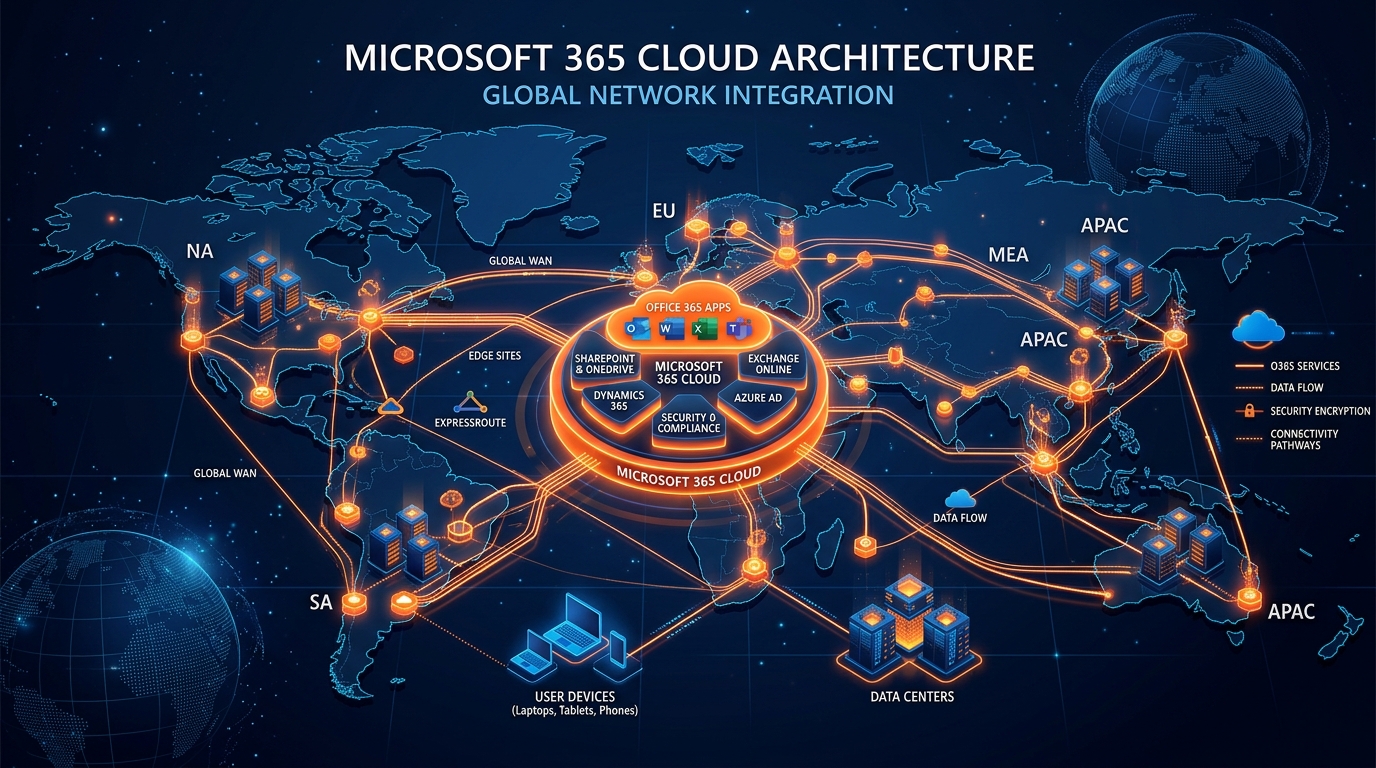
Figure 1: Enterprise Microsoft Office 365 Cloud Architecture and Global Network Integration.
Introduction: Navigating Enterprise Cloud Transformation
Transitioning an enterprise IT ecosystem to modern cloud infrastructure is rarely a simple lift-and-shift operation. For global enterprises, mid-market organizations, and rapidly scaling businesses, a migration to Microsoft 365 represents a fundamental transformation of identity management, cybersecurity boundaries, data governance, and operational workflows.
Without specialized guidance, IT leaders face substantial deployment risks: catastrophic email downtime, lost historical archives, misconfigured authentication protocols, exposed sensitive data, and severe user productivity losses.
Partnering with an elite microsoft office 365 consultant bridges the gap between complex legacy infrastructure and an optimized, secure cloud environment.
Whether executing a multi-tenant merger, transitioning off legacy on-premises Exchange servers, or enforcing Zero Trust compliance across a distributed workforce, engaging a certified cloud migration provider guarantees that your migration strategy aligns with business objectives, mitigates technical risk, and delivers immediate return on investment.
The Strategic Imperative: Why Enterprise Organizations Require a Microsoft Office 365 Consultant
Modern enterprises operate in highly complex multi-cloud and hybrid landscapes. Internal IT departments—while exceptionally skilled at day-to-day operations and end-user support—frequently lack the specialized architectural experience required to execute large-scale, zero-downtime tenant migrations.
Executing an enterprise tenant migration without battle-tested blueprints often yields hidden architectural technical debt:
- Costly Operational Downtime: Unplanned mail-flow interruptions, broken Autodiscover routes, and authentication loops can cost enterprise organizations thousands of dollars per hour in lost productivity.
- Identity & Security Gaps: Misconfigured identity synchronization (Entra ID Connect) can inadvertently expose Active Directory schema flaws, duplicate user accounts, or bypass Multi-Factor Authentication (MFA) enforcement policies.
- Data Corruption and Archive Loss: Incomplete PST ingestion routines and unmapped SharePoint permission trees lead to orphaned data, fragmented document versioning, and compliance violations under regulations such as GDPR, HIPAA, or SOC 2.
- Siloed Collaboration Architectures: Deploying Microsoft Teams and OneDrive without automated governance leads to sprawl, unauthorized external guest access, and unmanaged data leakage endpoints.
Enterprise Cloud Transformation Lifecycle:
[ Pre-Migration Discovery & Audit ] ➔ [ Identity & Infrastructure Setup ] ➔ [ Zero-Downtime Migration Execution ] ➔ [ Zero Trust Security Hardening ] ➔ [ Managed Hypercare & Support ]
Engaging a dedicated m365 deployment partner transforms a high-risk operational hurdle into a structured, predictable migration pipeline. Expert consultants bring proven migration frameworks, custom automation scripting, and deeply established architectural methodologies that ensure continuity across email, identity, file storage, and enterprise security workloads.
Enterprise Migration Topologies & Cloud Architecture Deep Dive
Selecting the appropriate migration topology is the most critical decision in your cloud strategy. An experienced microsoft office 365 consultant evaluates legacy mail systems, network bandwidth, directory health, and co-existence constraints to select and engineer the optimal migration path.
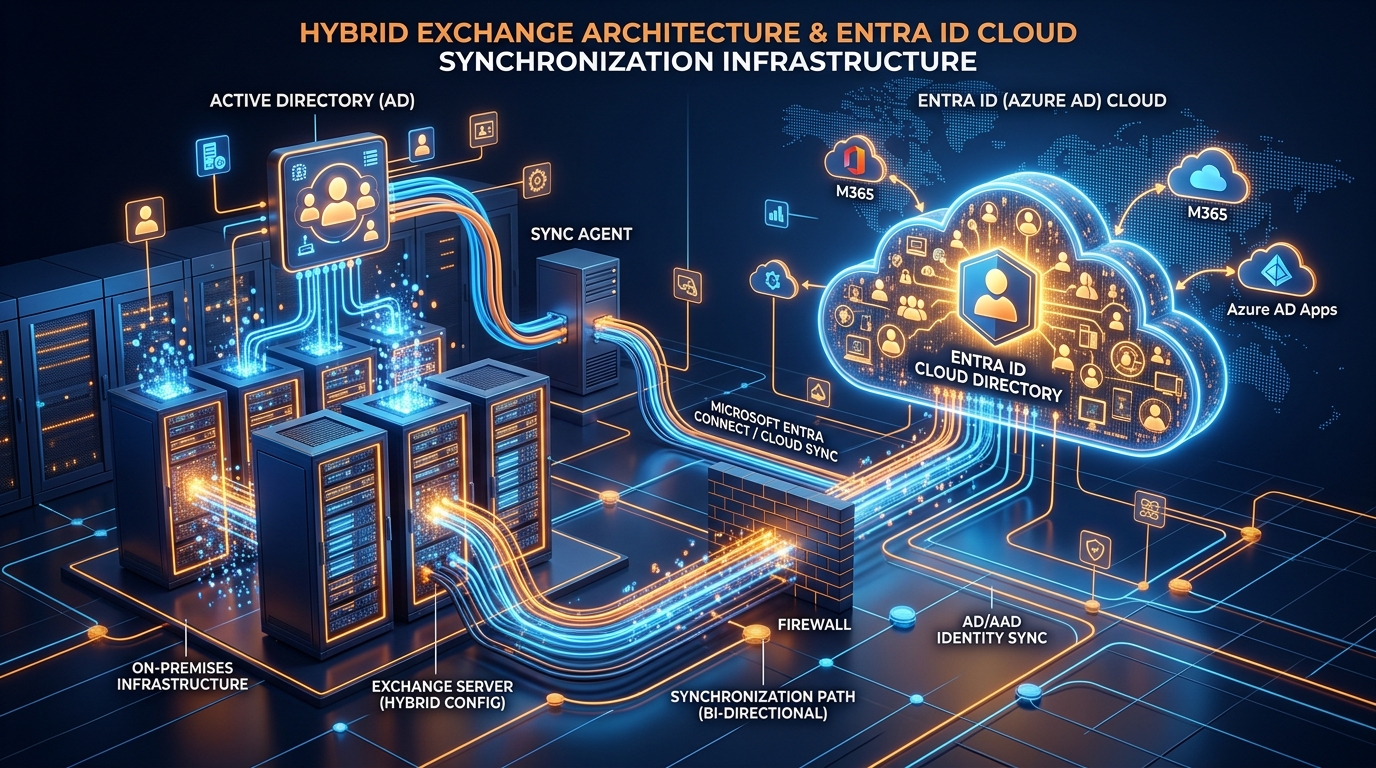
Figure 2: Hybrid Exchange Architecture and Entra ID Cloud Synchronization Infrastructure.
1. Hybrid Exchange Deployment (Minimal, Express, & Full Classic)
For large enterprises requiring long-term co-existence or staging mailboxes over extended periods, an exchange to microsoft 365 migration via a Hybrid configuration is the industry standard.
- Full Classic Hybrid Architecture: Establishes complete feature parity between on-premises Exchange Servers and Exchange Online. Configures secure cross-premises Mailbox Replication Service (MRSProxy) endpoints, bi-directional TLS 1.2 routing via EOP, cross-premises Free/Busy calendar availability, and unified GAL synchronization.
- Modern Hybrid (Exchange Web Services / Hybrid Agent): Utilizes the Microsoft Hybrid Agent to publish on-premises Exchange endpoints to the cloud without opening incoming firewall ports or publishing public IP addresses.
Architectural Insight: Enterprise hybrid deployments require precise alignment of public certificate SAN names, Autodiscover CNAME records, and EWS endpoint throttling limits. A certified consultant ensures that Mailbox Replication Service (MRS) batch jobs leverage max-concurrency channels without degrading local Exchange performance.
2. Cutover & Staged Migration Topologies
- Cutover Migration: Designed for organizations migrating all resources simultaneously (typically under 200–500 mailboxes). All user accounts, mailboxes, and distribution groups migrate within a single weekend maintenance window.
- Staged Migration: Suited for legacy environments (Exchange 2003/2007) where directory synchronization via Entra ID Connect is configured, but mailboxes are migrated to the cloud in batch phases over weeks or months.
3. Tenant-to-Tenant (T2T) Mergers & Acquisitions
Corporate restructures, spinoffs, and acquisitions demand Tenant-to-Tenant migrations. These complex engagements involve migrating user mailboxes, OneDrive for Business structures, SharePoint sites, and Microsoft Teams domains from one source Microsoft 365 tenant to a target tenant.
Identity Infrastructure, Entra ID, & Zero Trust Authentication
Identity is the modern security perimeter. Migrating to Microsoft 365 requires re-architecting your on-premises Active Directory Domain Services (AD DS) to integrate smoothly with Microsoft Entra ID (formerly Azure Active Directory).
Identity Synchronization Strategy
A seasoned consultant assesses and implements the right identity model based on performance, regulatory requirements, and user experience:
- Password Hash Synchronization (PHS): The most resilient and simple identity model. Entra ID Connect syncs a hash of the user's password hash from on-premises AD to the cloud every two minutes.
- Pass-Through Authentication (PTA): For organizations with strict compliance mandates prohibiting password hashes from leaving local premises. PTA lightweight agents installed on-premises validate passwords directly against Active Directory.
- Federated Identity (AD FS): Utilizes Active Directory Federation Services to hand off authentication requests entirely to local infrastructure.
Zero Trust Security & Conditional Access Configuration
Using Entra ID Conditional Access, consultants construct real-time control policies that evaluate access requests based on context:
- Device Compliance Rules: Enforces access only from Hybrid Entra ID Joined or Microsoft Intune-managed compliant devices.
- Risk-Based Access: Evaluates user and sign-in risk signals generated by Entra ID Protection to prompt step-up MFA or block access automatically.
- Passwordless Authentication: Rollout of modern FIDO2 security keys, Microsoft Authenticator app push notifications, and Windows Hello for Business.
Zero-Downtime Email & Data Migration Strategy
Data integrity and business continuity are the core metrics of a successful migration project. Implementing proven email migration solutions requires a phased, disciplined engineering roadmap.

Figure 3: Enterprise Zero Downtime Email Migration Workflow & Ingestion Pipeline.
Step-By-Step Engineering Roadmap
- Phase 1: Pre-Assessment & Environmental Remediation: Execute identity cleanup using IdFix and analyze network bandwidth.
- Phase 2: Hybrid Infrastructure Setup & Batch Orchestration: Deploy Entra ID Connect and run the Microsoft Hybrid Configuration Wizard.
- Phase 3: Data Pre-Seeding & PST Ingestion: Background pre-seeding of historical mailbox data. Review our comprehensive Import PST to Office 365 Guide.
- Phase 4: Final Delta Sync, DNS Cutover, & Hypercare: Initiate final delta syncs, update DNS MX records, and provide real-time desktop support (Hypercare).
Security Hardening, Compliance, & Cloud Governance
Deploying Microsoft 365 without robust security configurations exposes enterprise intellectual property. An elite consultant transforms default tenant settings into an enterprise-hardened environment.
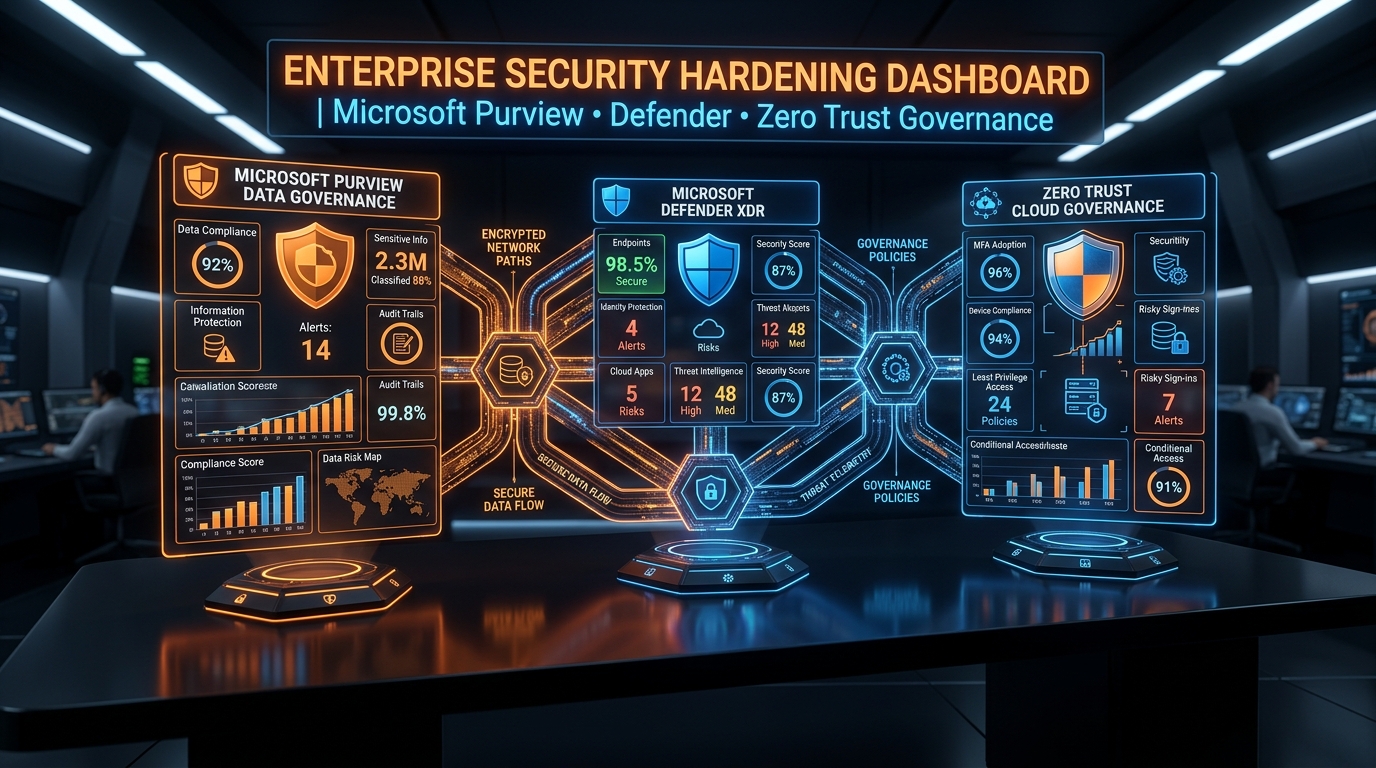
Figure 4: Security Hardening Dashboard & Zero Trust Cloud Governance.
1. Microsoft Purview Information Protection & Data Loss Prevention (DLP)
- Sensitivity Labels: Automatically scan documents and emails for sensitive content and apply encryption.
- Data Loss Prevention (DLP) Policies: Enforce rules that prevent users from accidentally or intentionally sharing confidential files.
2. Defender for Office 365 Hardening
- Safe Links: Real-time URL rewriting and time-of-click inspection.
- Safe Attachments: Dynamic detonation of incoming email attachments in secure sandbox environments.
- Anti-Phishing & Anti-Spoofing Protocols: DMARC (
p=reject) alignment paired with Entra ID impersonation protection.
For an exhaustive analysis of enterprise cloud governance policies, consult our detailed Microsoft Office 365 Consultant Guide.
Technical Comparison: Internal IT vs. Certified Partner Execution
| Evaluation Parameter | Internal IT Team Execution | Certified M365 Deployment Partner |
|---|---|---|
| Migration Topology Expertise | Often limited to basic cutover or standard admin tools. | Mastery across Full Classic Hybrid, Modern Hybrid, and Cross-Tenant M&A. |
| Downtime & Risk Management | High risk of unexpected mail-flow interruption, broken Autodiscover, and profile corruptions. | Near-zero operational downtime guaranteed via structured pre-seeding & delta sync frameworks. |
| Identity & Access Control | Standard cloud-only accounts or default AD sync setups without advanced filtering. | Enterprise Entra ID architecture with risk-based Conditional Access, PHS/PTA, and Zero Trust models. |
| Security & Compliance Hardening | Default Microsoft 365 tenant settings, exposing the enterprise to phishing and unauthorized egress. | Hardened Microsoft Purview DLP, Defender for Office 365 configuration, and full DMARC enforcement. |
| Legacy PST & Data Ingestion | Manual, time-consuming endpoint scans prone to corrupted files and data loss. | Automated, script-driven network PST ingestion pipelines with checksum hash validation. |
| Bandwidth & Engineering Velocity | Diverts internal IT staff from core strategic initiatives for months. | Dedicated enterprise migration engineering team completing projects rapidly on defined SLAs. |
Enterprise Selection Framework: Evaluating an M365 Deployment Partner
- Microsoft Partner Certifications & Designation: Ensure the firm holds certified Microsoft Solutions Partner designations.
- Demonstrated Hybrid Migration Scale: Verify that the consultant has executed multi-thousand mailbox migrations.
- Cross-Tenant (M&A) Experience: Confirm deep experience with tenant-to-tenant migrations.
- Security-First Architectural Philosophy: Incorporates security hardening into the core migration plan.
- Robust Automation Scripting Libraries: Custom, tested PowerShell script automation.
- Comprehensive Hypercare Support Framework: Structured post-migration support (Hypercare).
Conclusion: Transform Your Enterprise Cloud Landscape Today
Executing a seamless, secure, and zero-downtime migration to Microsoft 365 demands specialized enterprise architecture, proven tools, and deep execution experience.
Ready to Modernize Your Enterprise Infrastructure?
- Explore customized cloud solutions and transparent enterprise pricing models by visiting our Office 365 Package & Pricing page.
- Access technical implementation documentation, cloud strategy guides, and architectural whitepapers at the Work365 Knowledge Base.
- Schedule a direct strategic consulting session with our lead cloud architects today to accelerate your enterprise migration journey.
Get Genuine Office 365 Pack for $10
Unlock full desktop applications, 1TB OneDrive cloud storage, and 1-year full warranty.
Order $10 Pack via WhatsApp